Entra ID
This section provides an overview of the granted scopes and permissions and includes links to the Azure portal where they can be managed.
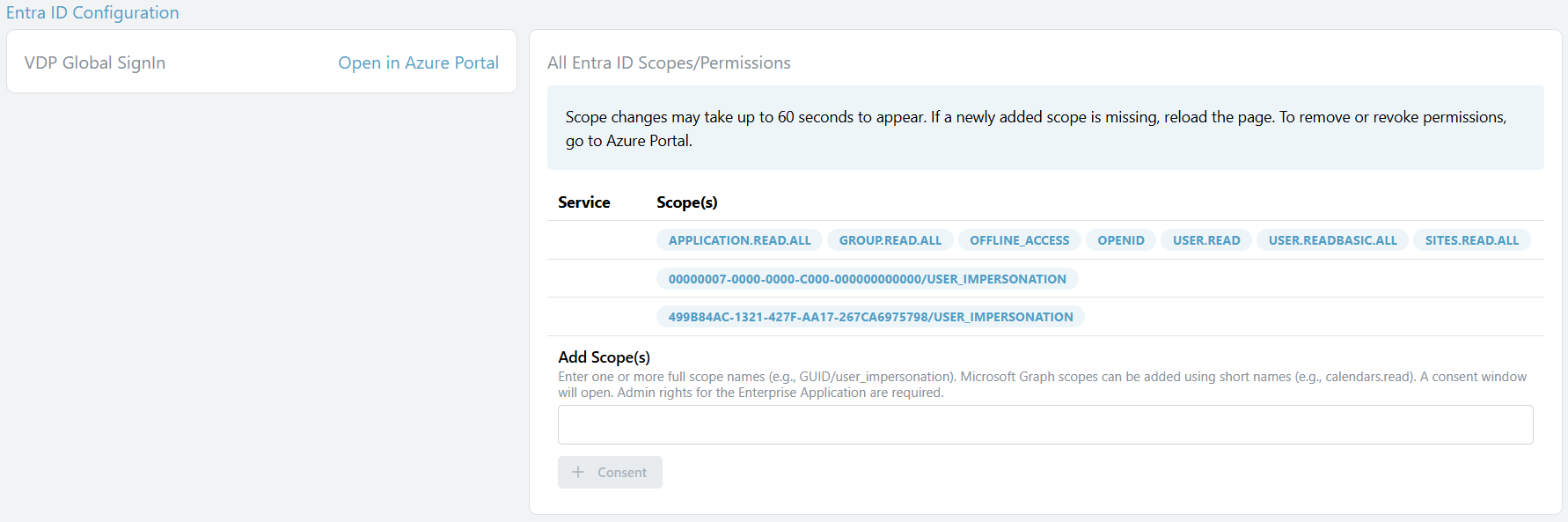
The application 'VDP Global SignIn' is the the name of the VDP appliciation in the enterprise applicationes. The configuration can be changed by opening the Azure Portal via the provided link.
If 'User-Only Consents Found' appears, it means that at least one scope or permission in the Enterprise Application was consented to by a single user. Click 'Open in Azure Portal' and switch to the User Consent section to manage them.
On the right side of the overview, all granted scopes and permissions are listed. To add a new scope, enter the full name of one or more scopes (e.g., GUID/user_impersonation). Microsoft Graph scopes can be added using the short name (e.g., calendars.read). A new browser window will open, allowing you to consent to the scopes. You need admin rights in Entra ID to do this.